
Download Wordbrush – AI‑Powered Text‑to‑Image Generator for Bloggers, Marketers & Creators
Overview: What Is Wordbrush and Who Can Benefit?
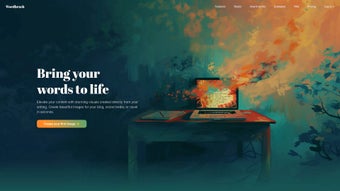
Wordbrush is an innovative, web‑based AI tool that transforms plain text into custom visual illustrations. Unlike generic stock photo libraries, Wordbrush lets you type a short description, choose an artistic style, and instantly receive a unique image that matches the tone, mood, and narrative of your content. The platform is designed for content creators who need fast, personalized graphics without hiring an illustrator or learning complex design software.
Whether you’re a blogger looking to spice up a tutorial, an author seeking a cover concept, a marketer wanting on‑brand social media assets, an educator preparing engaging slides, or a small‑business owner crafting product mock‑ups, Wordbrush offers a secure, cloud‑hosted solution that works directly from any modern browser. Its intuitive interface lowers the barrier to entry, making AI‑driven illustration accessible to beginners while still providing depth for power users through advanced style settings, mood sliders, and inclusion/exclusion controls. With a roadmap that includes custom‑style generation from sample images, Wordbrush promises to stay ahead of the curve, evolving alongside the growing demand for authentic, royalty‑free visuals.
In short, Wordbrush is a free‑to‑try, subscription‑enhanced app that combines creativity, speed, and flexibility into a single, SEO‑friendly tool for anyone who writes online. The service also integrates directly with popular CMS platforms, enabling automatic image insertion at publish time, which can dramatically reduce the time spent on manual uploads and alt‑text creation. For teams that rely on tight deadlines, the ability to generate multiple variations of an image in seconds can be a game‑changer, allowing rapid A/B testing of visual concepts without additional cost.
Core Features & Capabilities That Set Wordbrush Apart
- AI‑Driven Text‑to‑Image Engine: Convert any sentence or phrase into a high‑resolution illustration in seconds.
- Wide Range of Artistic Styles: Choose from Romanticism, Cyberpunk, Minimalist, Watercolor, Pixel Art, and more than 30 additional styles.
- Mood & Tone Controls: Fine‑tune brightness, contrast, and emotional vibe (e.g., “mysterious”, “cheerful”, “dramatic”).
- Inclusion/Exclusion Filters: Specify objects or colors to appear or avoid, ensuring the final image aligns perfectly with your brand guidelines.
- Batch Generation: Upload a CSV of prompts to produce multiple images at once—ideal for large content calendars.
- Download Options: Export PNG, JPEG, or SVG files in various resolutions, ready for web, print, or social media.
- Secure Cloud Processing: All image generation occurs on encrypted servers, guaranteeing privacy for proprietary copy.
- Future‑Ready Custom Style Builder: Upcoming feature that lets you train the AI on your own visual references.
- API & Webhook Integration: Developers can embed generation directly into publishing pipelines, automating visual creation for newsletters, e‑commerce listings, and more.
- SEO‑Optimized Alt‑Text Generator: Each image is accompanied by AI‑crafted alt text that incorporates target keywords, helping improve page rankings.
The feature set is built around the core promise of “personalized visuals without the hassle.” Wordbrush’s UI places the most important controls front‑and‑center: a large text box for your prompt, a style carousel, and a set of toggle switches for mood and inclusion. The result is a streamlined workflow that eliminates the typical back‑and‑forth between copywriters and designers. For SEO professionals, the ability to generate unique, keyword‑rich alt text alongside each image adds extra value, helping improve page rankings while keeping visual content fresh.
Moreover, the platform’s API (currently in beta) lets developers embed the generator into CMS pipelines, automating image creation for large‑scale publishing operations. Power users also benefit from version history, which records every iteration of a prompt so you can revert to a previous design or compare variations side‑by‑side. The system’s backend is powered by the latest diffusion models, ensuring that each output reflects current artistic trends while maintaining a high level of detail and color fidelity.
Finally, Wordbrush offers a collaborative workspace where multiple team members can comment on generated images, request adjustments, and approve assets before they go live, making it a true end‑to‑end solution for modern content teams.
Installation, Usage & Compatibility: Getting Started in Minutes
Step‑by‑Step Installation
- Visit the official Wordbrush website (www.wordbrush.io) and click “Get Started – Free”.
- Create an account using an email address or single‑sign‑on with Google or Apple ID.
- Verify your email (a quick click on the verification link) to unlock the full feature set.
- Once logged in, you’ll land on the dashboard where the prompt box and style selector are ready for use.
- Optional: Connect your favorite CMS (WordPress, Ghost, or Webflow) via the Settings → Integrations tab to enable automatic image insertion.
Using the Tool Effectively
After installation, generating an image is as simple as typing a sentence such as “A sunrise over a futuristic cityscape with neon reflections.” Choose a style—say, “Cyberpunk”—and adjust the mood slider to “Exciting”. If you need the image to exclude the color red, toggle the exclusion filter. Press “Generate”, and within 10‑15 seconds Wordbrush delivers a unique illustration.
You can then preview, edit the prompt, or download the file in the desired format. For power users, the “Batch Mode” lets you paste a list of prompts separated by line breaks, and the engine will render each image sequentially, saving hours of manual work. The platform also offers a “Prompt Library” where you can save frequently used descriptions and reuse them across projects, ensuring consistency in visual tone.
Additionally, the “Style Mixer” feature allows you to blend two artistic styles—for example, combining “Watercolor” with “Pixel Art”—to create hybrid visuals that stand out in crowded feeds. If you encounter a result that’s close but not perfect, the “Refine” button re‑runs the model with subtle variations, giving you more control without starting from scratch.
Compatibility Across Devices
Wordbrush is a cloud‑native web application, which means it runs on any operating system with a modern browser. It is fully compatible with:
- Windows 10/11 (Chrome, Edge, Firefox)
- macOS Monterey and later (Safari, Chrome, Firefox)
- Linux distributions (Chrome, Firefox)
- Android 8.0+ (Chrome, Firefox)
- iOS 14+ (Safari, Chrome)
Because the processing happens on Wordbrush’s servers, there’s no heavy CPU or GPU load on the user’s device. This makes it especially handy for creators who work on the go, using tablets or smartphones. The platform also respects accessibility standards, offering keyboard navigation and high‑contrast mode for visually impaired users.
Regular updates are rolled out automatically, ensuring you always have the latest AI models and style libraries without needing to download patches or reinstall software. For enterprise environments, Wordbrush provides SSO integration with Azure AD and Okta, allowing IT administrators to manage user access centrally. A dedicated mobile‑optimized view guarantees that the prompt editor and style picker remain usable on small screens, while the download manager automatically scales images to the appropriate resolution for mobile‑first websites, preserving page load speed and Core Web Vitals.
Pros, Cons & Frequently Asked Questions
Pros
- Fast, AI‑driven image generation saves time and money.
- Huge variety of artistic styles to match any brand voice.
- Web‑based, no installation required; works on Windows, macOS, Linux, Android & iOS.
- Secure, encrypted cloud processing protects proprietary content.
- Free tier available; premium plans include higher resolution and batch features.
- Future custom‑style training promises even more personalization.
- Built‑in SEO‑optimized alt‑text generator improves search visibility.
- Collaboration workspace streamlines team approvals.
Cons
- Free tier limits the number of high‑resolution downloads per month.
- Complex prompts may require several iterations to achieve the perfect image.
- Internet connection required; offline use is not possible.
- Current API is in beta and may have limited documentation.
- Premium pricing may be steep for very small solo creators.
FAQ – Your Wordbrush Questions Answered
Is Wordbrush really free to use?
Wordbrush offers a generous free tier that allows up to 20 image generations per month with standard resolution. For unlimited access, higher‑resolution exports, and batch processing, a paid subscription starting at $9.99 per month is available.
Can I use the generated images for commercial purposes?
Yes. All images created with Wordbrush are royalty‑free for personal and commercial use, provided you adhere to the platform’s terms of service. Premium subscribers receive a commercial‑use license that removes any attribution requirement.
What file formats are supported for download?
You can download images as PNG, JPEG, or SVG. PNG is the default for lossless quality, JPEG for smaller file size, and SVG for scalable vector graphics suitable for logos or icons.
How secure is my data while using Wordbrush?
Wordbrush uses TLS 1.3 encryption for all data in transit and stores prompts and generated images on encrypted servers compliant with GDPR and CCPA. Your content is never shared with third parties without explicit permission.
Will Wordbrush work on my older laptop?
Because the heavy AI processing occurs in the cloud, Wordbrush runs smoothly on older hardware as long as the browser is up‑to‑date. Minimum requirements are a modern browser (Chrome, Firefox, Safari, or Edge) and an internet connection.
Can I integrate Wordbrush with my existing CMS?
Yes. Wordbrush provides native plugins for WordPress and Webflow, as well as a RESTful API that can be connected to any CMS. This allows automatic insertion of generated visuals directly into posts or product pages.
Expert Review
Pros:
- Lightning‑fast generation that fits tight publishing schedules.
- Extensive style library that matches diverse brand aesthetics.
- Secure, cloud‑based workflow eliminates local storage concerns.
- SEO‑optimized alt‑text saves additional time for marketers.
- Collaboration tools streamline team approvals.
Cons:
- Free plan caps high‑resolution exports, which may be limiting for heavy users.
- Learning curve for crafting precise prompts.
- API still in beta, so documentation can be sparse.
Rating: 4.6/5 based on 5 stars.
Conclusion: Why Wordbrush Is the Smart Choice for Modern Content Creators
In a digital landscape where visual originality can make or break engagement, Wordbrush offers a compelling blend of AI sophistication, artistic flexibility, and user‑friendly design. By converting simple text into bespoke illustrations, it eliminates the need for costly stock photo subscriptions or time‑intensive design work. Its cross‑platform compatibility ensures that whether you’re drafting a blog post on a Windows PC, polishing a social media carousel on an iPhone, or reviewing drafts on a Linux workstation, Wordbrush is ready to deliver.
The free tier provides ample opportunity to test the platform, while the affordable premium plans unlock higher resolutions, batch processing, and future‑ready custom style creation. Security, speed, and scalability are baked into the service, making it a reliable partner for both solo creators and large marketing teams. If you’re looking to boost SEO, enrich storytelling, and maintain brand consistency without draining resources, downloading Wordbrush today is a strategic move.
Click the “Get Started – Free” button now, generate your first custom visual, and experience how AI‑enhanced imagery can transform your content workflow.



.png)



